SARIF Reporter (beta)
Generates a full execution log in SARIF format within a file named mega-linter-report.sarif , located in report folder.
Note: Only linters able to handle SARIF will provide output in the aggregated SARIF file.
Results that a linter marks as suppressed in its SARIF output (for example a finding silenced with # nosemgrep) are not counted as errors or warnings, and are not listed in the console and text reports. They are kept in the SARIF files, so tools reading them still see the suppression.
This reporter is deactivated by default.
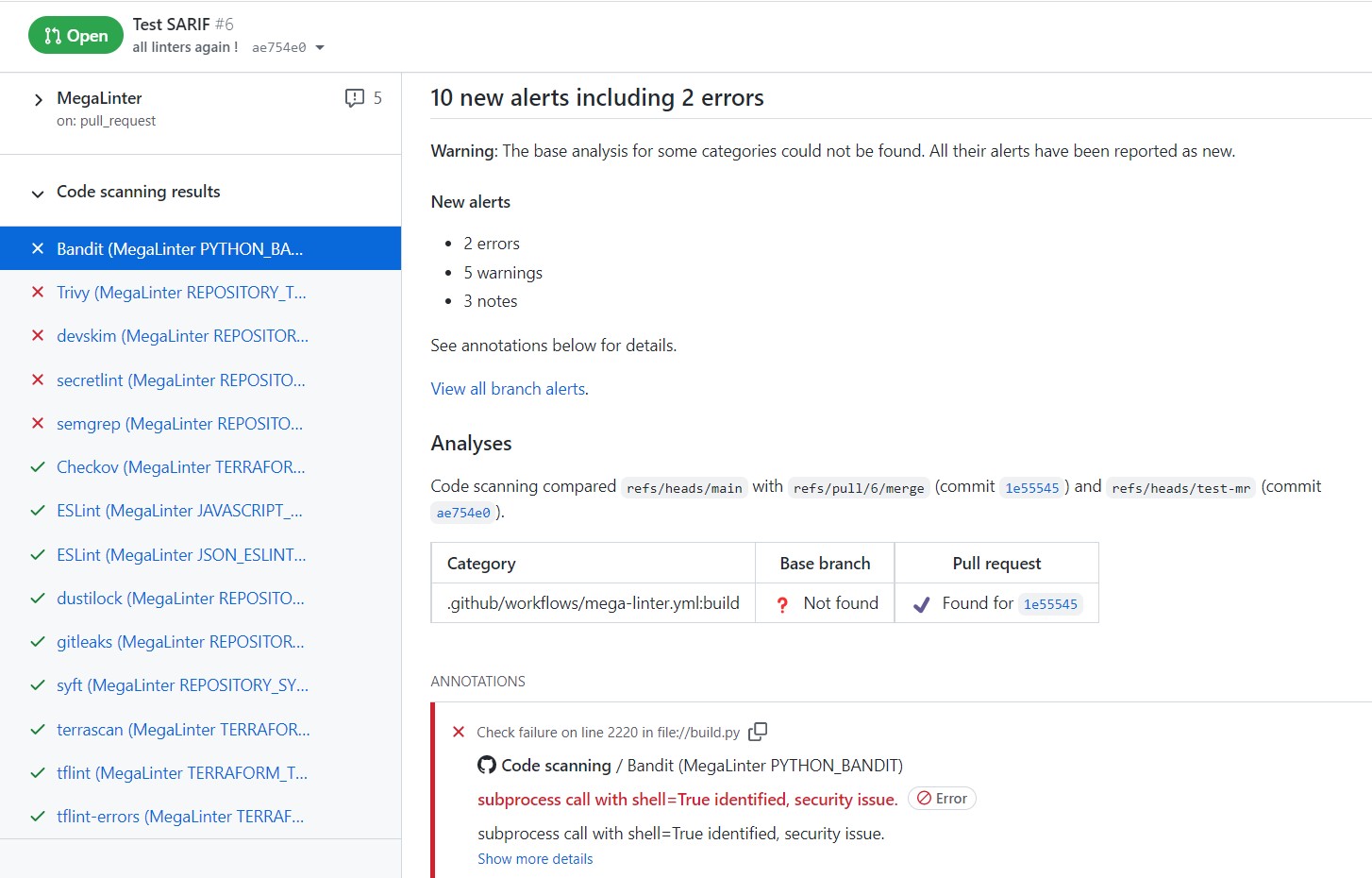
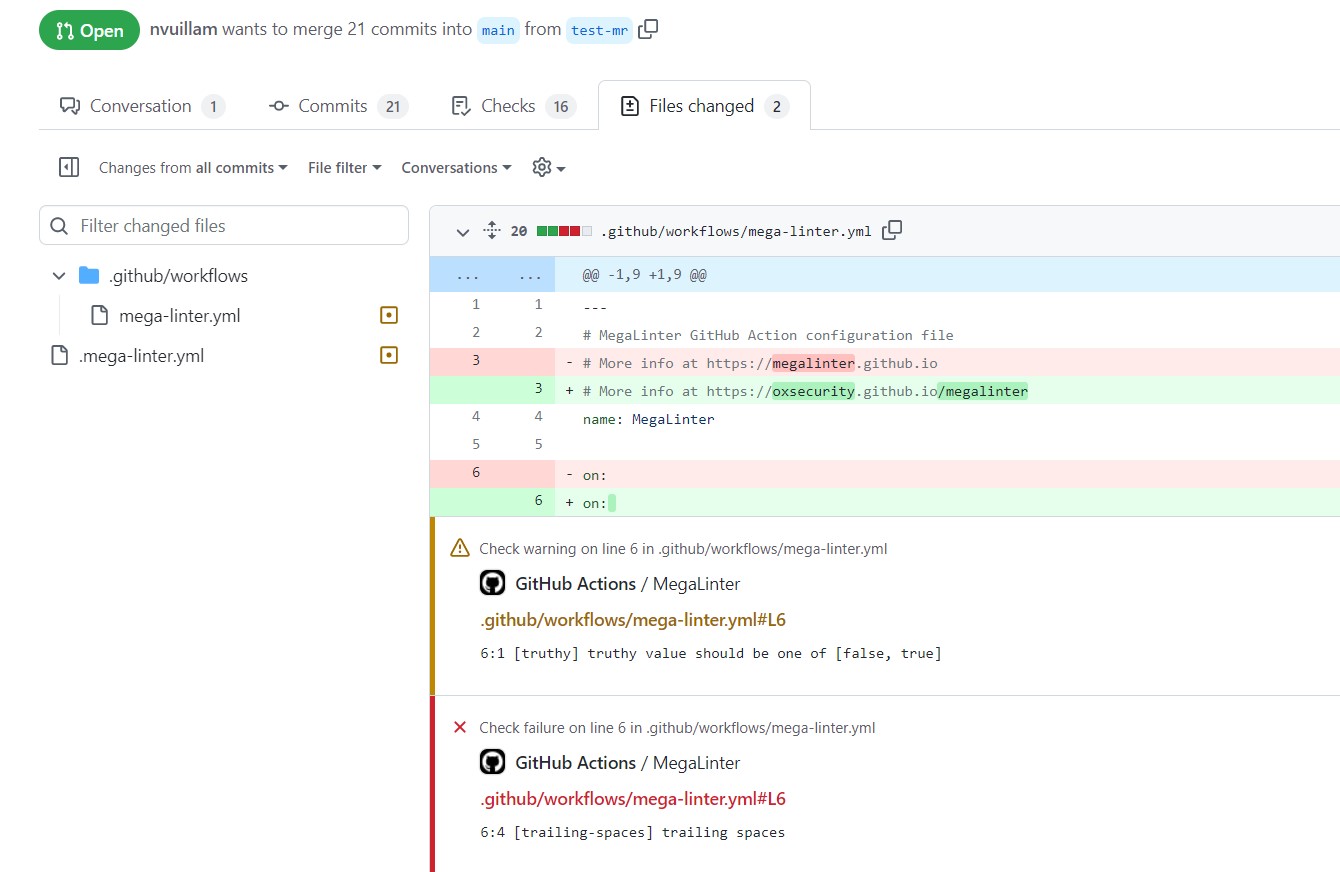
Usage
Activate the reporter (SARIF_REPORTER: true) to generate JSON report file.
If you want GitHub to handle the SARIF file to display it in its UI, add the following step in your GitHub Action Workflow.
- name: Upload MegaLinter scan results to GitHub Security tab
if: success() || failure()
uses: github/codeql-action/upload-sarif@v2
with:
    sarif_file: 'megalinter-reports/megalinter-report.sarif'
Configuration
| Variable | Description | Default value |
|---|---|---|
| SARIF_REPORTER | Activates/deactivates reporter | false |
| SARIF_REPORTER_NORMALIZE_LINTERS_OUTPUT | Remove DEFAULT_WORKSPACE prefix in SARIF-files, for example 'DEFAULT_WORKSPACE/src/main' would be 'src/main' etc. | true |
| SARIF_REPORTER_FILE_NAME | File name for SARIF report output file | megalinter-report.sarif |
| SARIF_REPORTER_LINTERS | List of linter keys that will output SARIF (if not set, all SARIF compliant linters will output SARIF) | [] |