Jira Reporter
Posts MegaLinter results summary as a comment on the Jira ticket(s) referenced by the labels of the related Pull Request / Merge Request.
It works with GitHub Pull Requests, GitLab Merge Requests and Azure DevOps Pull Requests, as all of them support labels. It uses atlassian-python-api.
Usage
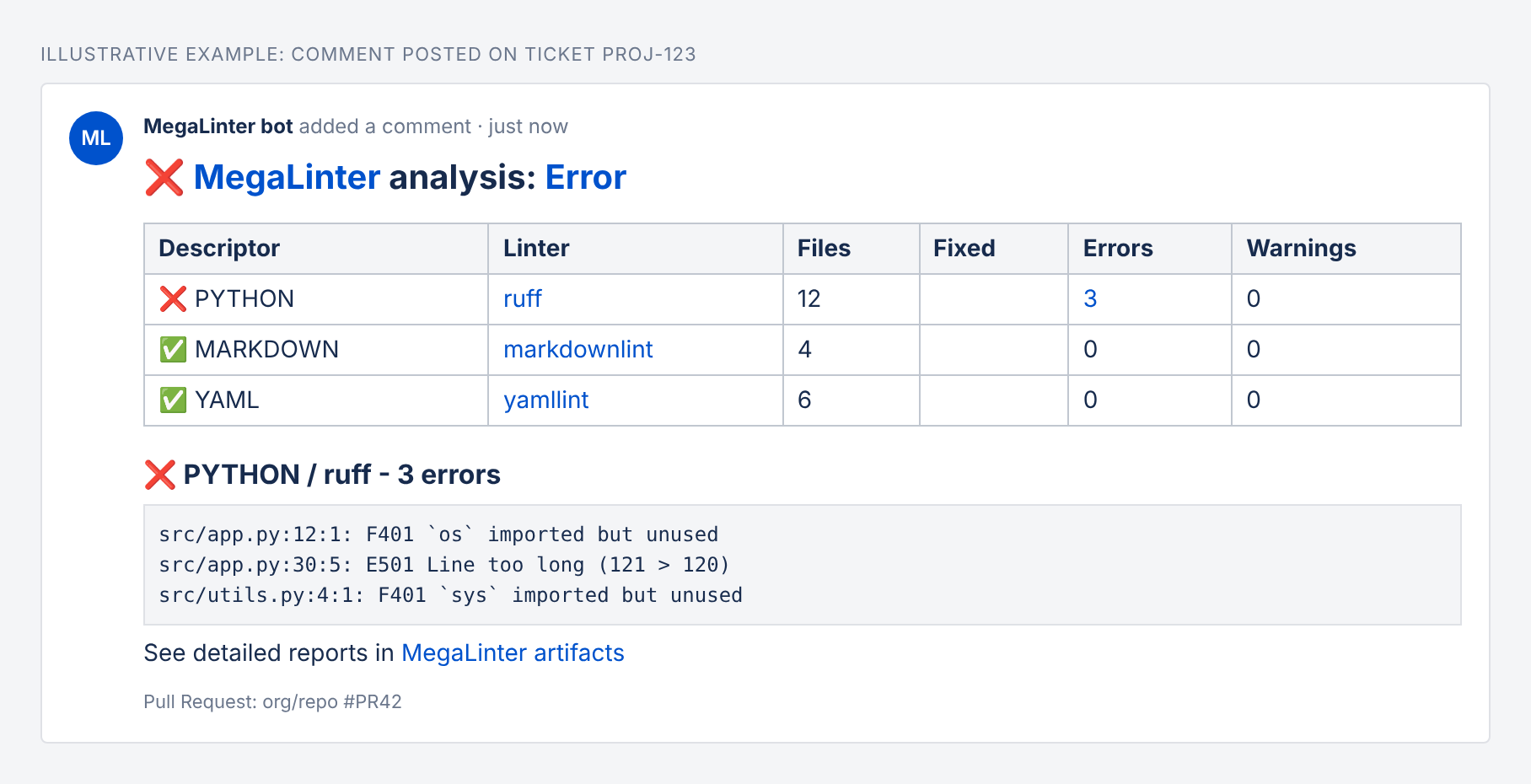
Illustrative example of the comment posted on a Jira ticket
Add a label named after the Jira ticket key (ex: PROJ-123) to your Pull Request. At the end of the MegaLinter run, a comment containing the lint results summary and a link to the detailed logs is posted on the ticket.
- Several labels referencing different tickets post the comment on each of them
- Labels that do not look like a Jira key are ignored
- By default, labels
PROJ-123,jira:PROJ-123andjira/PROJ-123are recognized. Change this withJIRA_REPORTER_LABEL_REGEX(the first capturing group, if any, must contain the ticket key) - The comment contains the same summary as the other Pull Request comment reporters, converted to Jira wiki markup. Use
REPORTERS_MARKDOWN_SUMMARY_TYPEto choose betweensections,tableor both - Future MegaLinter runs update the existing Jira comment instead of posting a new one. Set
JIRA_REPORTER_OVERWRITE_COMMENTtofalseto post a new comment each time
Custom label regex examples
JIRA_REPORTER_LABEL_REGEX is a regular expression matched against the whole label. If it has a capturing group, the first group is the ticket key (converted to upper case), otherwise the whole label is used.
| Label convention | JIRA_REPORTER_LABEL_REGEX |
Matches (ticket key) |
|---|---|---|
| Default | ^(?:jira[:/])?([A-Za-z][A-Za-z0-9_]+-\d+)$ |
PROJ-123, jira:PROJ-123 |
Prefix ticket- |
^ticket-([A-Za-z][A-Za-z0-9_]+-\d+)$ |
ticket-PROJ-123 |
Prefix jira_ |
^jira_([A-Za-z][A-Za-z0-9_]+-\d+)$ |
jira_PROJ-123 |
| Label with space | ^Jira: ([A-Za-z][A-Za-z0-9_]+-\d+)$ |
Jira: PROJ-123 |
| Only some projects | ^((?:PROJ\|OPS)-\d+)$ |
PROJ-1, OPS-42 only |
| Key anywhere in label | (?i)\b([A-Z][A-Z0-9_]+-\d+)\b |
fix-PROJ-123-login |
Example in .mega-linter.yml:
JIRA_REPORTER_LABEL_REGEX: '^ticket-([A-Za-z][A-Za-z0-9_]+-\d+)$'
Configuration
Jira Cloud:
- Create an API token
- Define
JIRA_URL(ex:https://mycompany.atlassian.net),JIRA_USERNAME(account e-mail) andJIRA_API_TOKENas masked CI/CD variables
Jira Server / Data Center:
- Create a Personal Access Token
- Define
JIRA_URLandJIRA_PERSONAL_ACCESS_TOKENas masked CI/CD variables
The Pull Request labels are read with the platform token already used by the comment reporters: GITHUB_TOKEN (permission pull-requests: read), CI_JOB_TOKEN / GITLAB_ACCESS_TOKEN_MEGALINTER, or SYSTEM_ACCESSTOKEN.
| Variable | Description | Default value |
|---|---|---|
| JIRA_REPORTER | Activates/deactivates reporter | true (active only if Jira variables are set) |
| JIRA_URL | Jira base URL | |
| JIRA_USERNAME | Jira Cloud account e-mail | |
| JIRA_API_TOKEN | Jira Cloud API token | |
| JIRA_PERSONAL_ACCESS_TOKEN | Jira Server / Data Center Personal Access Token | |
| JIRA_REPORTER_LABEL_REGEX | Regular expression matching the labels that reference a ticket | ^(?:jira[:/])?([A-Za-z][A-Za-z0-9_]+-\d+)$ |
| JIRA_REPORTER_OVERWRITE_COMMENT | Set to false to not overwrite existing comments in case of new runs on the same ticket | true |
| REPORTERS_ACTION_RUN_URL | Override default URL of the CI job visualization page | |
| MEGALINTER_MULTIRUN_KEY | Key to identify multirun when multiple MegaLinter runs are executed in the same pipeline (ex: java) |